
Synchronous & Asynchronous Request Execution
Control how Baselayer processes your API requests -- get results immediately or receive them via webhooks.
Overview
Baselayer supports both synchronous and asynchronous execution for all task-based endpoints (business searches, liens, dockets, web presence, DMF, and more).
- Synchronous -- the API blocks until processing completes and returns results in the response body.
- Asynchronous -- the API accepts the request immediately and delivers results later via webhooks or polling.
New integrations default to synchronous execution. You can opt into asynchronous execution on a per-request basis using the standard HTTP Prefer header, or configure the default behavior on your API key.
How It Works
Every task-based endpoint follows the same lifecycle:
1. You submit a request (e.g. POST /searches)
2. Baselayer creates the resource and begins processing
3. Depending on execution mode:

   Synchronous:  API waits → returns 201 Created with results
   Async:        API returns 202 Accepted immediately → webhook when ready
   Sync timeout: API returns 202 Accepted with current state → webhook when ready
Regardless of execution mode, Baselayer always returns two headers immediately:
| Header | Description |
|---|---|
X-Resource-Id | The unique ID of the created resource. Available before processing completes. |
Location | The URL to retrieve the resource (e.g. /searches/{id}). Use this for polling. |
These headers are set before any synchronous wait begins, so your application can identify the resource even if a sync request times out.
The Prefer Header
Prefer HeaderBaselayer uses the standard HTTP Prefer header (RFC 7240) to let you control execution behavior on each request.
Supported Directives
No Prefer header (default behavior)
Prefer header (default behavior)When no Prefer header is sent, the request uses your API key's default_request_mode setting. New organizations default to synchronous execution (recommended), but you can configure the default mode when creating additional API keys.
Prefer: respond-async
Prefer: respond-asyncExplicitly requests asynchronous execution. The API returns 202 Accepted immediately without waiting for results. Use webhooks or poll the Location URL to retrieve results when processing completes.
The response includes a Preference-Applied: respond-async header confirming the directive was honored.
Prefer: wait=N
Prefer: wait=NRequests synchronous execution with a timeout hint of N seconds. The API will wait up to N seconds for processing to complete:
- If processing completes within the timeout: returns
201 Createdwith full results. - If processing does not complete: returns
202 Acceptedwith the current resource state. Results will be delivered via webhook.
The maximum allowed value for wait is 90 seconds. Values above this are capped automatically.
Quick Reference
Prefer Header | Execution Mode | Completed | Timed Out |
|---|---|---|---|
| (none, sync default) | Synchronous | 201 Created | 202 Accepted |
respond-async | Asynchronous | 202 Accepted | n/a |
wait=30 | Synchronous (30s) | 201 Created | 202 Accepted |
Examples
Synchronous request (default)
curl -X POST https://api.baselayer.com/searches \
  -H "X-API-Key: your_api_key_here" \
  -H "Content-Type: application/json" \
  -d '{
    "name": "Acme Corp",
    "address": "123 Main St, San Francisco, CA 94105"
  }'
Response (201 Created):
{
  "id": "a1b2c3d4-5678-90ab-cdef-1234567890ab",
  "state": "COMPLETED",
  "business": { ... }
}
Asynchronous request
curl -X POST https://api.baselayer.com/searches \
  -H "X-API-Key: your_api_key_here" \
  -H "Prefer: respond-async" \
  -H "Content-Type: application/json" \
  -d '{
    "name": "Acme Corp",
    "address": "123 Main St, San Francisco, CA 94105"
  }'
Response (202 Accepted):
{
  "id": "a1b2c3d4-5678-90ab-cdef-1234567890ab",
  "state": "PENDING"
}
Response headers:
X-Resource-Id: a1b2c3d4-5678-90ab-cdef-1234567890ab
Location: /searches/a1b2c3d4-5678-90ab-cdef-1234567890ab
Preference-Applied: respond-async
Synchronous with explicit timeout
curl -X POST https://api.baselayer.com/lien_searches \
  -H "X-API-Key: your_api_key_here" \
  -H "Prefer: wait=45" \
  -H "Content-Type: application/json" \
  -d '{
    "business_id": "e7e7e7c9-f0ad-4434-9766-a1d127ed12c3",
    "search_states": ["CA", "NY"]
  }'
If the lien search completes within 45 seconds: 201 Created with full results.
If it takes longer: 202 Accepted with the current state. A webhook fires when processing completes.
API Key Default Request Mode
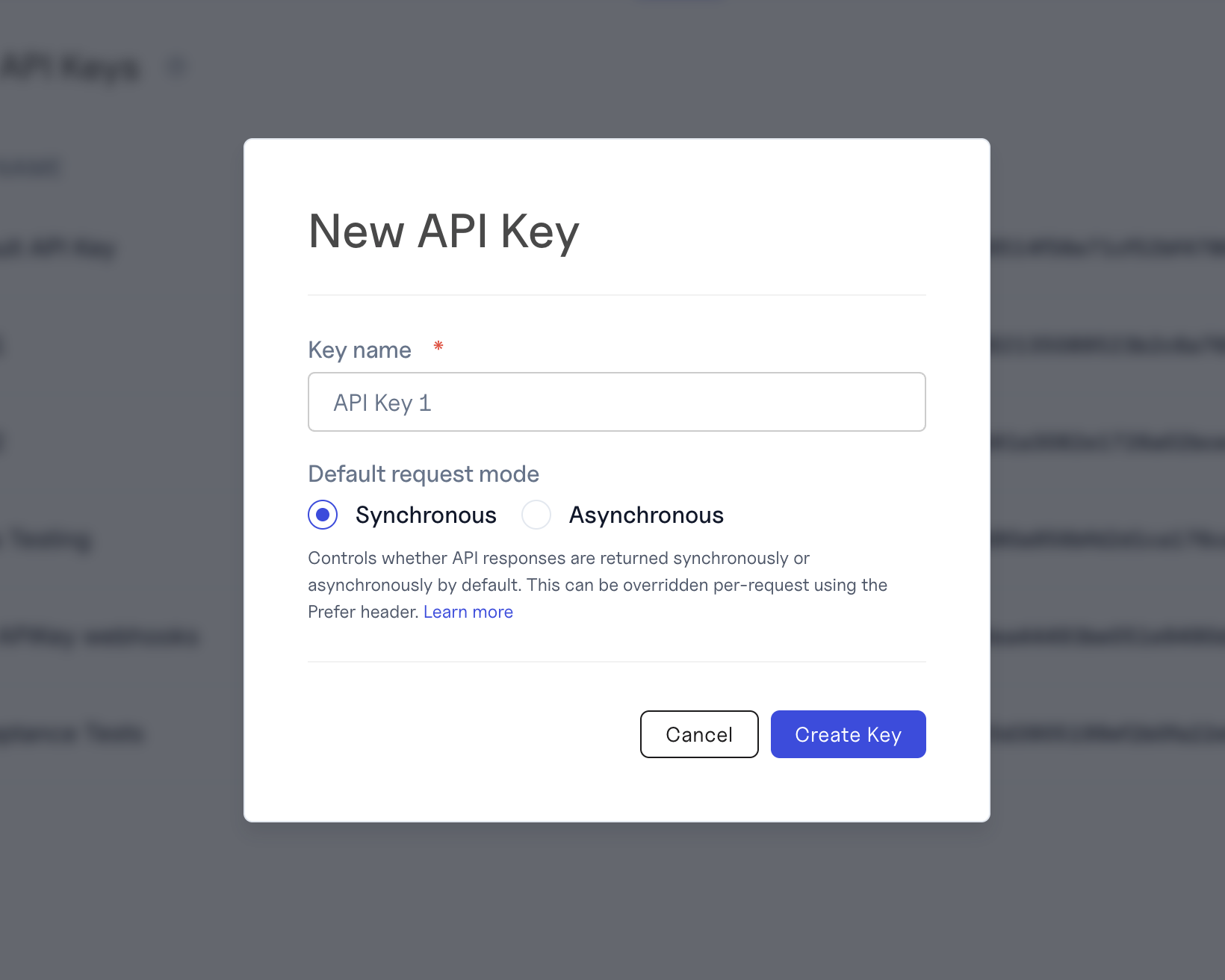
Each API key has a default_request_mode that controls whether requests default to synchronous or asynchronous execution when no Prefer header is present.
| Scenario | Default Mode |
|---|---|
| New organizations and API keys | sync |
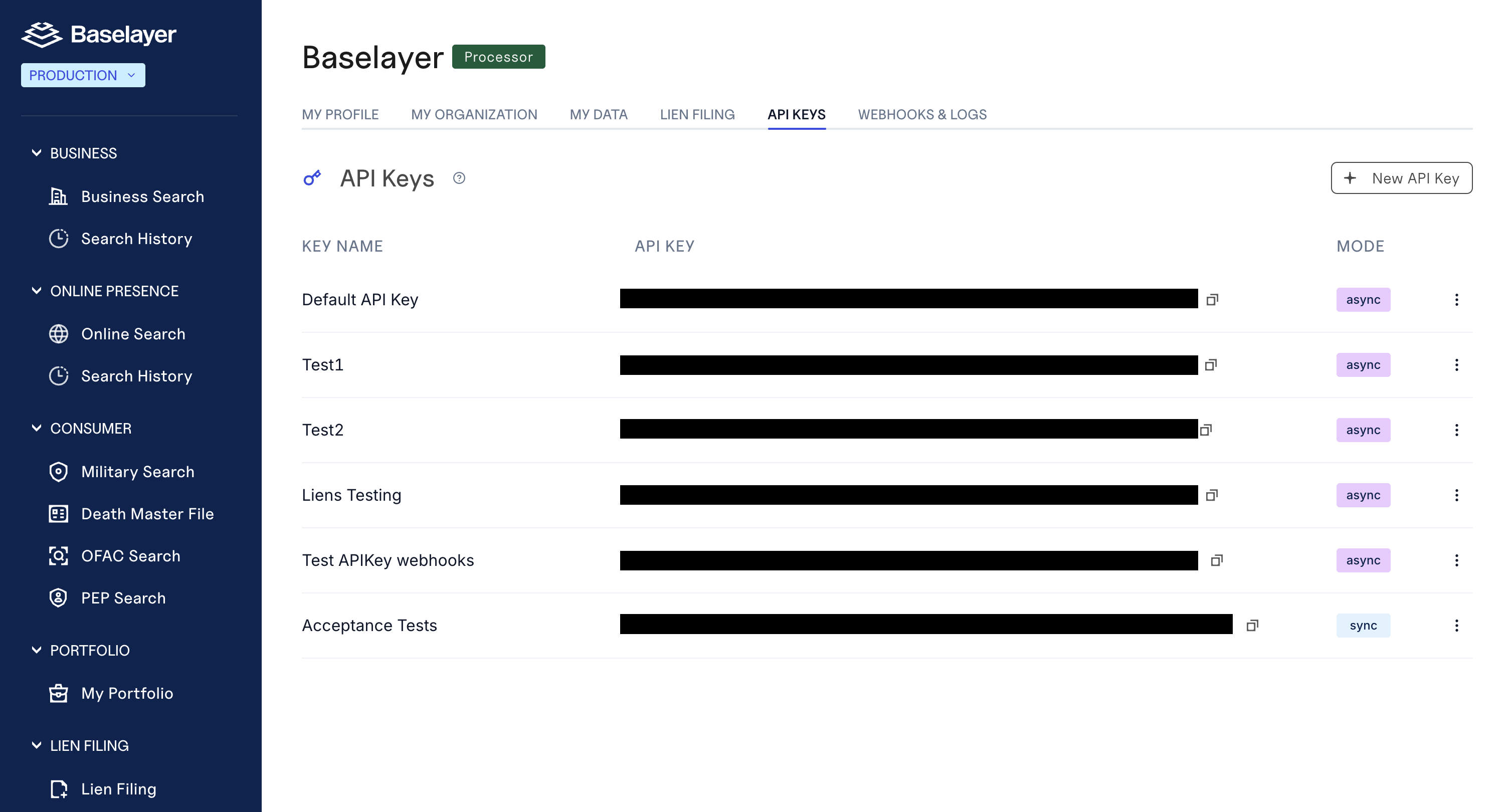
| Existing API keys (before this feature) | async (unchanged) |
| JWT-authenticated requests (console) | sync |
The Prefer header always overrides the API key default. This means:
- An API key with
default_request_mode: asyncthat sendsPrefer: wait=30executes synchronously. - An API key with
default_request_mode: syncthat sendsPrefer: respond-asyncexecutes asynchronously.
Setting the Default on a New API Key
When creating an API key via POST /organizations/{id}/api_keys, include the default_request_mode field:
curl -X POST https://api.baselayer.com/organizations/{org_id}/api_keys \
  -H "X-API-Key: your_api_key_here" \
  -H "Content-Type: application/json" \
  -d '{
    "name": "My Production Key",
    "default_request_mode": "sync"
  }'
Accepted values: "sync" or "async".
If omitted, newly created API keys default to async to avoid breaking existing provisioning workflows.
Viewing the Default on an Existing API Key
The default_request_mode is included in API key responses:
{
  "id": "d10f8f54-8f33-4ba4-a694-cc3ce0e5d657",
  "name": "My Production Key",
  "key": "f9e67690304c23f133f7d965f130139d...",
  "default_request_mode": "sync"
}
You can also create and manage your API keys directly in the web application:
Status Codes
| Status Code | Meaning | When Returned |
|---|---|---|
200 OK | Resource retrieved | GET requests for completed resources |
201 Created | Resource created and processing completed | Synchronous request that finished within the timeout |
202 Accepted | Resource created, still processing | Asynchronous request; or synchronous request that timed out |
Key distinction: 201 means results are in the response body. 202 means results are not yet available -- use webhooks or poll the Location URL.
Backward Compatibility
Baselayer maintains a backwards compatible API contract. Existing integrations continue to work without changes.
Existing API Keys
API keys created before this feature have default_request_mode: async. On API v1, these keys continue to receive 201 Created for all POST responses, matching the behavior your integration was built against. No code changes are required.
New Integrations
New organizations and API keys default to default_request_mode: sync. New integrations should handle both 201 Created (completed) and 202 Accepted (still processing).
Explicit Prefer Header
Prefer HeaderWhen a request includes an explicit Prefer: respond-async header, the response is always 202 Accepted regardless of API key defaults or API version. This signals a forward-looking integration that expects standard HTTP semantics.
Request Lifecycle States
Every request-creating endpoint (business searches, web presence, lien searches, dockets, person searches, TIN verification, OFAC batch, international products, etc.) reports its progress through the same state field, with the same five values:
state | Meaning |
|---|---|
PENDING | Request received and queued for processing |
EXECUTING | Request actively processing |
COMPLETED | Processing finished successfully; results are available |
FAILED | Processing could not complete (or the request timed out) |
CANCELLED | Request was cancelled before completing |
Legal transitions: PENDING → EXECUTING; EXECUTING → COMPLETED or FAILED; a request that is still PENDING or EXECUTING can also move to CANCELLED or FAILED (for example, if it times out). COMPLETED, FAILED, and CANCELLED are terminal — a request never leaves them.
Note: Some resources also carry a free-text
statusfield. That field is a human-readable progress message, not the lifecycle — always usestateto drive your integration logic.
Consuming Results
How you consume results depends on the execution mode:
Synchronous (201 Created): Results are included directly in the response body. No additional steps needed.
Asynchronous or Timeout (202 Accepted): Results are delivered asynchronously. You have two options:
-
Webhooks (recommended) -- Baselayer sends an HTTP POST to your configured endpoint when processing completes. See the Webhooks guide for setup instructions.
-
Polling -- Use the
Locationheader from the response to periodically check the resource status:
# Initial POST returns 202 with Location header
# Poll the resource until state is terminal (COMPLETED, FAILED, or CANCELLED)
curl https://api.baselayer.com/searches/{id} \
  -H "X-API-Key: your_api_key_here"
The X-Resource-Id header is always available immediately, so you can begin tracking the resource in your system before results arrive.
Migration Guide for Existing Customers
If you are an existing Baselayer customer and want to adopt synchronous execution:
Step 1: Create a new API key with sync default
Create a new API key with default_request_mode: sync, or contact your Baselayer account manager to update your existing key.
Step 2: Update your response handling
Your integration should distinguish between two response codes:
201 Created-- processing completed, results are in the response body202 Accepted-- still processing, consume results via webhooks or polling
Step 3: (Optional) Use Prefer: wait=N for timeout control
Prefer: wait=N for timeout controlIf your use case has specific latency requirements, include Prefer: wait=N to set an explicit timeout in seconds (up to 90).
No changes required to stay on async
If your current integration works well with asynchronous execution and webhooks, no changes are needed. Your existing API key retains default_request_mode: async and all behavior remains identical.
Supported Endpoints
All task-based endpoints support synchronous and asynchronous execution:
| Endpoint | Method | Description |
|---|---|---|
/searches | POST | Business search |
/person_searches | POST | Person search |
/lien_searches | POST | Liens search |
/docket_searches | POST | Litigation & bankruptcy search |
/web_presence_requests | POST | Web presence analysis |
/website_analysis_requests | POST | Website analysis |
/adverse_media_searches | POST | Adverse media search |
/international/searches | POST | International business search |
/dmf/searches | POST | Death Master File search |
/registration_enrichments | POST | Corporate registration enrichment |
/dockets/{id}/details | PUT | Order docket details |
/dockets/exhibits/{id} | PUT | Order docket exhibit documents |
Last updated: February 2026
Updated 6 days ago